Why Join Photo and Signature Into One File?
Several recruitment platforms and government entrance examinations (such as NTA, SSC, IBPS, and State Public Service Commissions) mandate uploading passport photos with candidates' signatures attached directly underneath in a single composite file.
This Photo and Signature Joiner tool allows you to combine separate photo and signature scans seamlessly, adjust DPI and physical dimensions (CM, Inches, or Pixels), add crisp borders, and compress the file to meet exact KB requirements.
How to Merge Photo and Signature Online
1
Upload Both Files
Click the buttons to select your Passport Photo and Signature scan.
2
Crop If Required
Use the overlay crop buttons to trim unnecessary white margins.
3
Set Dimensions & Output
Choose an Exam Preset or set custom Width, Height, and Target KB size.
4
Merge & Download
Click "Merge Photos", wait a few seconds, and download the final file instantly.
Frequently Asked Questions (FAQs)
What happens when "Overlap signature on photo" is checked?
The signature is overlaid directly on top of the bottom section of the photo canvas instead of being placed under it. You can adjust the signature's width and position using the sliders.
Is my signature data stored on your server?
No. All merging and image processing happen 100% inside your web browser. No photos or signature files are uploaded to any server.
Photo Signature Merger – Merge Photo and Signature Online Free
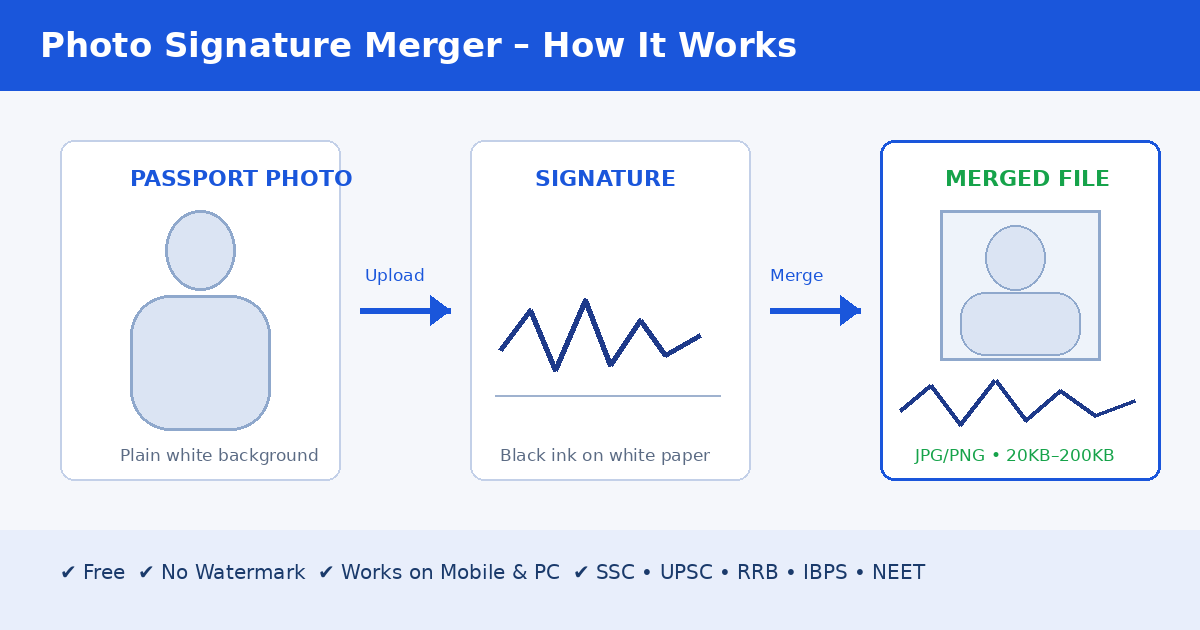
Need to upload a single image containing both your photo and signature for an online form? A photo signature merger combines your passport-size photograph and handwritten signature into one JPG or PNG file in seconds — no Photoshop, no installation, and no editing skills required. It works directly in your browser, is 100% free, and adds no watermark.
What Is a Photo Signature Merger?
A photo signature merger (also called a photo signature joiner or combiner) is an online tool that places your passport-size photo and your signature inside a single image file. Most government portals, exam forms, job applications, and banking KYC pages accept only one upload for this section — so the two images must be merged before submission.
Why Do You Need to Merge Photo and Signature?
Combined photo + signature images are mandatory for most Indian online applications, including:
- Government exams — SSC, UPSC, Railway (RRB), Banking (IBPS, SBI), NEET, CUET
- ID and verification services — Aadhaar, PAN, passport, voter ID, banking KYC
- School, college & university admission forms
- Job portals, admit cards, and online affidavits
If the photo and signature are uploaded as separate files — or the combined image does not meet the official size rules — the form is often rejected automatically.
How to Merge Photo and Signature Online (Step by Step)
- Prepare your images. Use a clear passport-size photo with a plain white background, and a signature written in black or blue ink on clean white paper.
- Open the photo signature merger. The tool runs in your browser — no signup or installation.
- Upload both files. Add your photo and signature to their respective upload boxes.
- Adjust layout and size. Place the photo on top and the signature below (the standard format), then resize the signature proportionally.
- Set the required file size. If the form demands a 20KB, 50KB, or 200KB image, enter the limit and the tool compresses it automatically without losing quality.
- Download the merged image. Save it as JPG or PNG — ready to upload to your form.
Recommended Image Size and Format for Online Forms
To avoid rejection, follow these standard specifications. Always double-check the official notification for your specific exam, as rules are updated yearly.
| Exam / Portal | Photo Size | Combined Size |
|---|
| UPSC | 450 × 450 px | 450 × 490 px |
| SSC | 300 × 300 px | 300 × 340 px |
| Railway (RRB) | 200 × 230 px | 200 × 270 px |
| Banking (IBPS / SBI) | 200 × 230 px | 200 × 270 px |
| DSSSB | 500 × 700 px | 500 × 740 px |
| Standard | 250 × 250 px | 250 × 290 px |
General rules: file format JPG/JPEG/PNG, total size 20KB–200KB, vertical (portrait) orientation, plain white background, and a clearly readable signature.
Why Use Our Photo Signature Merger?
- 100% free, unlimited use: No registration, no daily limits, no hidden charges.
- No watermark: The downloaded image is clean and ready for official use.
- Private & secure: All processing happens in your browser — your photos never leave your device.
- Exam presets: One-click dimensions for UPSC, SSC, Railway, Banking, NEET, and GATE.
- Compress to exact KB: Get precisely 20KB or 50KB files without visible quality loss.
- Works everywhere: Fully responsive on Android, iPhone, tablets, and desktops.
- Extra editing tools: Crop images, add a border, overlap the signature on the photo, and set custom DPI.
Tips for Best Results
- Sign on blank paper, photograph in daylight, and crop tightly around the signature.
- Keep both backgrounds plain white — dark or busy backgrounds confuse form-portal checks.
- Zoom to 100% before downloading to confirm the signature doesn't touch the photo edge.
- Don't stretch or distort images while resizing — maintain the correct aspect ratio.
- Keep your original photo and signature files safe; don't delete them after merging.
Common Mistakes That Get Forms Rejected
- Uploading separate photo and signature files instead of one merged image.
- Using the wrong format (e.g., PDF instead of JPG/PNG).
- Signature too small, blurry, or unclear.
- File size exceeding the portal's limit.
- Scanned documents with shadows or background noise.
Frequently Asked Questions
Is the photo signature merger free to use?
Yes. It is completely free with no limits, no account, and no watermark on your final image.
Is it safe to merge my photo and signature online?
Yes. The tool works fully client-side — your images are processed inside your browser and are never uploaded to any server, stored, or shared.
Can I use it on mobile?
Absolutely. The tool is mobile-friendly and works smoothly on mid-range Android phones and iPhones, making it ideal for last-minute form corrections.
Can I compress the merged image to 20KB or 50KB?
Yes. Enter the required size in KB and the tool automatically adjusts the quality so the downloaded file fits the limit while staying clear and readable.
Which image formats are supported?
You can upload JPG, JPEG, and PNG files, and download the merged result in JPG or PNG format.
Will resizing reduce the image quality?
The tool resizes using high-quality processing that preserves clarity and DPI, so your image remains sharp for official verification.
Can I use the merged image for government exam forms?
Yes. With presets matching UPSC, SSC, RRB, IBPS, NEET, and other portals, the output is designed to meet official upload requirements. Still, always verify the exact dimensions in the latest official notification before submitting.
Final Words
A photo signature merger saves you a trip to the cyber cafe and the cost of heavy editing software. Upload your photo, upload your signature, merge them in one click, and download a clean, exam-ready image — free, fast, and secure. Try the tool now and submit your form with confidence.